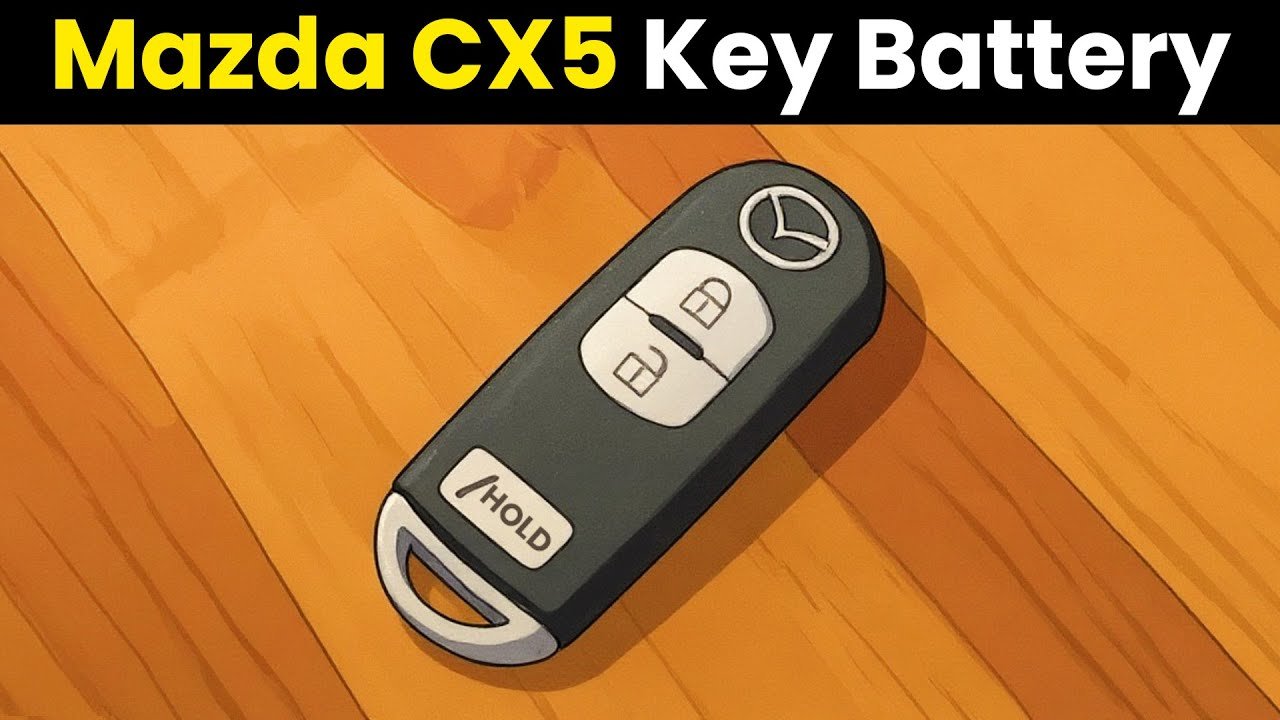

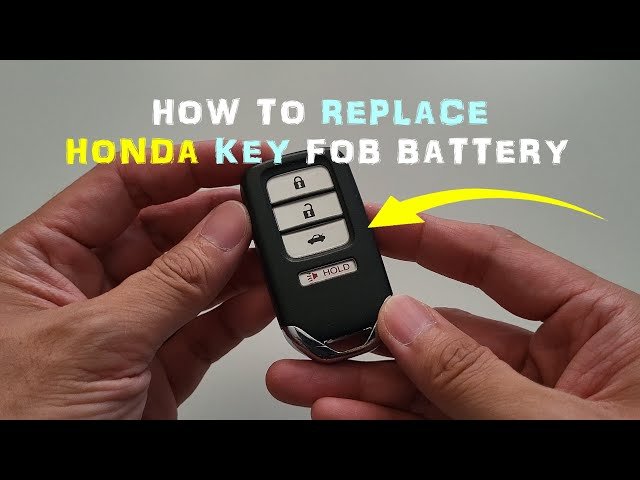
Is your Honda Civic key fob acting up or completely dead? You’re not alone, and the good news is that changing the battery is easier than you might think.
Imagine never having to worry about your key suddenly failing when you’re in a rush. In this guide, you’ll learn simple, step-by-step instructions to replace your Honda Civic key battery quickly and safely. Keep reading—you’ll be back on the road with a fully working key in no time.

Credit: www.youtube.com
Tools Needed
Changing the battery in your Honda Civic key is easier when you have the right tools on hand. Using improper tools can damage the key fob or make the process frustrating. Gathering these essentials first saves you time and keeps the job smooth.
Small Flathead Screwdriver
A small flathead screwdriver is often the best tool to pry open the key fob gently. Its slim tip fits perfectly into the seam of the key case, allowing you to separate the halves without scratching or breaking the plastic.
Have you ever tried opening a device without the right tool? It usually ends with frustration or damage, so this screwdriver is a must-have for the job.
Replacement Battery
Your Honda Civic key typically uses a CR2032 coin battery, but always double-check your key model to be sure. Using the exact battery type ensures proper fit and function, avoiding any issues after replacement.
Keep a fresh battery on hand before you start. Nothing is more annoying than opening your key only to find you don’t have the right battery to finish the task.
Clean Cloth Or Soft Surface
Place your key fob on a clean cloth or soft surface to prevent scratches during the battery change. This also helps keep tiny screws or parts from rolling away and getting lost.
Working on a cluttered or hard surface can make the process harder than it needs to be. Have you ever lost a small screw while fixing something? A clean workspace can save you that hassle.
Tweezers (optional)
Tweezers come in handy if the battery is tightly seated or hard to reach with your fingers. They allow you to remove and place the battery carefully without touching it too much, which can prevent oil or dirt transfer.
If you don’t have tweezers, no worries, but they do make the process feel more controlled and precise.

Credit: www.youtube.com
Locate The Key Release
Locating the key release on your Honda Civic key is the first essential step to changing the battery. This small mechanism allows you to separate the key blade from the fob, giving you access to the internal components. Knowing exactly where to find and how to use the key release saves time and prevents damage to your key.
Identify The Key Release Button
The key release button is usually a small, rectangular or circular button on the side or back of your key fob. It might feel a bit stiff the first time you press it, but a firm push is all it takes. If you don’t see a button, check for a sliding switch instead.
Use Your Fingernail Or A Small Tool
Press the key release using your fingernail for the best control. If your nails are short, a small flathead screwdriver or coin can work well. Just be gentle to avoid scratching or damaging the plastic casing.
Slide Or Pull Out The Mechanical Key
Once you press the key release, the mechanical key blade should slide or pop out smoothly. Some Honda Civic models require you to pull the key out, while others need you to slide it sideways. Don’t force it—if it’s stuck, double-check you’re pressing the release button fully.
Check For Hidden Key Release Mechanisms
Some newer Civic models hide the key release inside a small panel or under a cover. If you can’t find the release button, look closely at the key fob edges for a seam or a tiny latch. This design adds security but can be tricky to spot at first.
Open The Key Fob
Open the key fob with a small screwdriver to access the battery compartment. Replace the old battery with a new one, ensuring correct orientation.
To change your Honda Civic key battery, you must first open the key fob. This step is crucial. It gives you access to the battery compartment. Carefully follow these steps. They will guide you through the process.
Gather Necessary Tools
You need a flathead screwdriver. A small one works best. It helps open the fob without damage. You might also need a coin. It can be handy. Ensure you have a clean surface. This prevents losing small parts.
Locate The Seam
Examine the key fob. Find the seam or groove. It runs along the side. This is where the two halves meet. The seam is often near the key ring.
Insert The Screwdriver
Place the screwdriver in the seam. Gently twist it. This will separate the halves. Do not use force. It can damage the fob. A slight twist usually does the trick.
Open The Fob
Once the halves start to separate, use your fingers. Gently pull them apart. Be careful. Some parts may be loose. Keep track of them. You will need to reassemble later.
Inspect The Inside
Now, look inside the fob. You will see the battery. Take note of its position. This helps when inserting the new battery. Keep everything in order. It ensures a smooth reassembly.
Remove The Old Battery
Removing the old battery from your Honda Civic key is a simple task. It ensures your key works properly again. Take care during this process to avoid damage.
Use the right tools and follow steps carefully. Keep your workspace clean and bright. This helps you see small parts clearly.
Locate The Battery Compartment
Find the small groove or notch on the key fob. This is where you open the battery compartment. Use your fingernail or a flat tool to pry it open gently.
Insert a flathead screwdriver or coin into the groove. Twist it slowly to separate the two halves of the key fob. Avoid forcing it to prevent breaking the plastic.
Once open, identify the battery inside. It looks like a small, round silver disc. Use your fingers or a small tool to lift it out carefully.
Dispose Of The Old Battery Safely
Do not throw the old battery in the trash. Batteries contain harmful chemicals. Take it to a local recycling center or battery disposal point.
Choose The Right Battery
Choosing the right battery for your Honda Civic key is very important. The correct battery ensures your key fob works well and lasts longer. Using the wrong battery can cause problems or damage.
Many Honda Civic keys use small coin batteries. These batteries are easy to find but come in different sizes and voltages. Knowing the exact type helps avoid confusion and saves time.
Check The Owner’s Manual
The owner’s manual gives the exact battery type for your key. Look in the section about the key fob or remote. It will list the battery model, size, and voltage.
Look Inside The Key Fob
Open the key fob carefully. The battery type is often printed on the old battery. Use this information to buy the same kind. Match the size and voltage exactly.
Common Battery Types For Honda Civic Keys
| Battery Model | Size | Voltage |
|---|---|---|
| CR2032 | 20mm diameter | 3V |
| CR2025 | 20mm diameter | 3V |
| CR1616 | 16mm diameter | 3V |
Buy Batteries From Trusted Brands
Choose batteries from well-known brands. They last longer and work better. Cheap batteries can leak or fail quickly. This can harm your key fob.
Check Expiration Date
Always check the battery’s expiration date before buying. Fresh batteries hold power longer. Avoid batteries near or past their expiration date.

Credit: www.youtube.com
Insert The New Battery
Inserting the new battery into your Honda Civic key is a simple task. It requires care to avoid damaging the key components. Follow these tips to ensure a proper fit and good contact for the battery.
Check The Battery Orientation
Look inside the battery compartment. You will see a small diagram showing the correct battery direction. Match the positive (+) and negative (-) sides of the battery to this diagram. This step is crucial for the key to work properly.
Place The Battery Carefully
Hold the new battery with clean hands. Gently place it into the compartment. Make sure it sits flat and snug. Avoid forcing it in, as this could damage the key or battery.
Secure The Battery Cover
Once the battery is in place, put the cover back on. Align it with the key case and press firmly. You may hear a click, signaling the cover is locked. This keeps the battery secure and protected.
Reassemble The Key Fob
After replacing the battery, reassembling the Honda Civic key fob is essential. This step ensures the key works properly and stays protected. Handle the parts carefully to avoid damage.
Keep all components clean and dry before putting them back together. Align parts correctly for a secure fit. Follow these simple instructions to complete the process smoothly.
Align The Key Fob Halves
Match the two halves of the key fob case. Make sure the buttons and battery sit correctly inside. Press the halves together gently but firmly until they click into place.
Secure The Screws Or Clips
Check if your key fob uses screws or clips to hold the case. Use a small screwdriver to tighten screws carefully. If clips hold the case, press them until they snap securely.
Test The Key Fob Buttons
Press each button to confirm they work smoothly. The key fob should respond without sticking or delay. Test the lock, unlock, and panic buttons for full function.
Reinsert The Metal Key
Slide the metal key back into its slot on the fob. Push it firmly until it locks in place. This step completes the reassembly and keeps the key ready for use.
Test The Key Function
Testing the key function after changing the battery in your Honda Civic key is essential to ensure everything works perfectly. A fresh battery doesn’t always guarantee your key will function correctly if it’s not tested properly. Taking a few moments to verify the key’s response can save you from future frustration and unexpected lockouts.
Check The Remote Lock And Unlock Buttons
Start by standing close to your car and pressing the lock and unlock buttons on the key fob. Listen carefully for the car’s response—does it lock and unlock as expected? If the car doesn’t respond, try pressing the buttons a few more times or from a closer distance.
Sometimes, the button contacts inside the key might need a slight press to reconnect after battery replacement. Did you notice any delay or weak response? That could mean the battery isn’t seated properly or needs a higher-quality replacement.
Test The Panic Button Function
The panic button is a great way to confirm if your key’s battery and internal circuit are working well. Press and hold the panic button for a few seconds and see if the car alarm sounds. If it doesn’t, your key might still have an issue even after battery replacement.
Try releasing the button and pressing it again to ensure it’s not just a stuck button problem. Does the alarm stop immediately when you press the button again? If not, you might want to check the key’s internals or consider a professional check.
Start The Car With The Key
After confirming the remote functions, insert the key into the ignition and attempt to start your Honda Civic. A fresh battery should not affect this step, but it’s crucial to verify that the transponder chip inside the key is still functioning. If the engine doesn’t start or the immobilizer warning light stays on, the key might need reprogramming.
Have you experienced a situation where the remote works but the car won’t start? This is a good moment to test that. It highlights why testing every function is necessary, not just the remote buttons.
Tips For Battery Maintenance
Maintaining the battery of your Honda Civic key helps avoid sudden failures. Simple care extends the battery's life and keeps your key working well. Regular checks and small habits make a big difference.
Keep The Key Clean And Dry
Moisture and dirt can harm the battery contacts inside the key. Wipe the key gently with a dry cloth often. Avoid exposing the key to water or extreme humidity.
Store The Key Properly
Keep the key away from heat sources and strong magnets. Store it in a cool, dry place when not in use. This protects the battery and electronic parts from damage.
Use The Key Regularly
Press buttons and unlock the car often. Regular use prevents battery corrosion and ensures the battery stays active. Avoid leaving the key unused for long periods.
Replace Battery Promptly
Change the battery as soon as you notice weak signals or slow responses. A fresh battery prevents lockouts and other issues. Use the correct battery type for your Honda Civic key.
Check Battery Contacts
Open the key case carefully and inspect the battery contacts. Clean any dirt or corrosion with a soft brush or cloth. Good contact improves battery performance and key function.
Frequently Asked Questions
How Do I Open My Honda Civic Key Fob?
To open your Honda Civic key fob, locate the small notch on its side. Use a flathead screwdriver or coin to gently pry it open. Be careful not to damage the casing while separating the two halves for battery replacement.
What Type Of Battery Does A Honda Civic Key Use?
Honda Civic key fobs typically use a CR2032 lithium coin battery. This battery is widely available and affordable. Always check your specific key fob model to confirm the exact battery type before purchasing a replacement.
How Often Should I Change My Honda Civic Key Battery?
You should change your Honda Civic key battery every 2 to 3 years. Signs include reduced range or unresponsiveness. Regular replacement ensures your key fob works reliably and prevents lockout situations.
Can I Replace The Honda Civic Key Battery Myself?
Yes, you can replace the Honda Civic key battery yourself. The process is simple and requires no special tools. Just carefully open the fob, remove the old battery, and insert a new one with correct polarity.
Conclusion
Changing the battery in your Honda Civic key is simple and quick. Just follow the steps carefully to avoid mistakes. A fresh battery keeps your key working well every day. No need to visit a mechanic or spend extra money.
Regularly check the battery to prevent surprises. This small task saves time and keeps you prepared. Now you can handle it yourself with confidence. Easy, fast, and cost-effective—just what you need.