
Have you ever wondered what happens when you put your Tesla into Car Wash Mode? It’s not just a simple switch—this feature is designed to protect your car and make the washing process smoother.
If you want to keep your Tesla safe from unexpected surprises during a car wash, understanding this mode is a must. Keep reading to discover exactly what Car Wash Mode does and why it’s important for your vehicle’s care.

Credit: www.notateslaapp.com
Car Wash Mode Basics
Understanding Car Wash Mode Basics helps Tesla owners prepare their vehicles for automatic car washes. This mode protects sensitive parts and prevents unexpected issues. Activating it properly ensures a smooth car wash experience without damage or interruptions.
Purpose Of Car Wash Mode
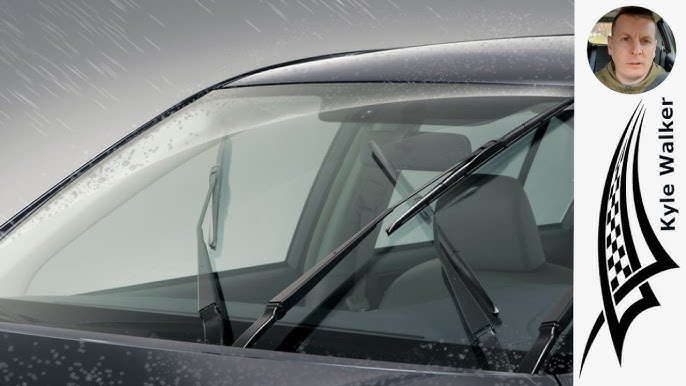
Car Wash Mode stops automatic windshield wipers during the wash. It also locks the charge port door to avoid opening. The car's windows close tightly to prevent water leaks inside. Suspension settings adjust to a higher position if needed. This reduces the risk of damage from brushes or high-pressure water jets.
Activation Process
To activate Car Wash Mode, use the Tesla touchscreen or mobile app. The process usually involves a few simple taps:
- Open the Controls menu on the touchscreen.
- Select the Service tab.
- Tap on Car Wash Mode to enable it.
- Confirm the activation to start the mode.
After activation, the car prepares itself for the wash. Tesla displays a message confirming Car Wash Mode is on. Remember to keep the car in Neutral during the wash for safety.

Credit: www.youtube.com
How Car Wash Mode Works
Car Wash Mode in a Tesla is designed to prepare your vehicle for an automatic car wash by adjusting several settings to avoid damage and ensure a smooth cleaning process. Activating this mode changes how your Tesla behaves, so you don’t have to worry about unexpected movements or features interfering during the wash.
Disabling Automatic Features
One key aspect of Car Wash Mode is that it disables all automatic features like windshield wipers, automatic locking, and the car’s autopilot system. This prevents the car from reacting to the wash environment in ways that could cause damage or interruptions.
Imagine your windshield wipers suddenly turning on while water jets are spraying—this mode stops that from happening. It also pauses any automatic door locks or sensors that might otherwise misinterpret the wash as an obstacle.
Door And Window Controls
Car Wash Mode automatically closes all windows and locks the doors to keep water from entering the cabin. This means you don’t have to double-check if everything is sealed before driving into the wash.
Your Tesla also disables the feature that allows doors to open from the inside or outside during the wash. This adds a safety layer so that no doors accidentally swing open when you least expect it.
Parking Brake Engagement
To keep your Tesla stationary during the car wash, Car Wash Mode engages the parking brake automatically. This stops the car from rolling forward or backward, even if the car wash uses conveyor belts to pull your vehicle through.
This feature is especially useful because it means you don’t have to manually set the parking brake or worry about the car moving on its own. Have you ever been nervous about whether your car will stay put in a busy car wash? Tesla’s Car Wash Mode takes that concern off your plate.
Benefits Of Using Car Wash Mode
Tesla's Car Wash Mode brings numerous benefits to owners. It ensures a seamless wash experience. This mode safeguards your vehicle during automatic washes. Let's explore the key benefits.
Preventing Door Damage
Car Wash Mode locks the doors securely. This prevents any accidental openings. The locked doors protect against potential damage. During washes, accidental door movement can cause harm. With this mode, your doors stay closed and safe.
Avoiding Unintended Movements
In Car Wash Mode, the parking brake stays engaged. This prevents the car from rolling. It ensures the Tesla remains stationary. Movement during a wash can be risky. This feature adds peace of mind.
Ensuring Safety During Wash
Car Wash Mode turns off the wipers. This prevents unnecessary activation. Wipers can damage during a wash. Keeping them off avoids this issue. It also disables automatic windows. This ensures the interior stays dry and clean.
When To Use Car Wash Mode
Knowing when to activate Car Wash Mode in your Tesla can save you from unexpected issues during your car cleaning sessions. This feature is designed to protect your vehicle’s exterior and sensitive components from damage, but it's only necessary in specific scenarios. Understanding these situations helps you avoid unnecessary steps and ensures a smooth wash every time.
Automatic Car Washes
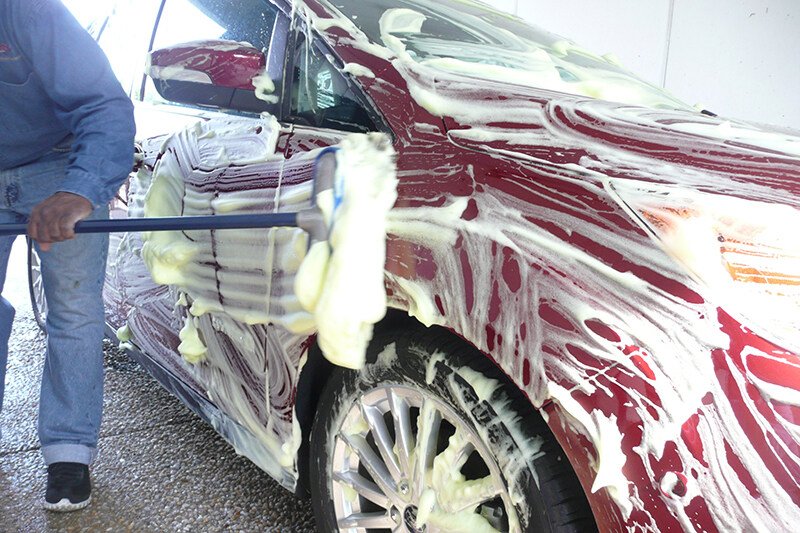
If you plan to use an automatic car wash, activating Car Wash Mode is essential. These washes use brushes and high-pressure water jets that can trigger your Tesla’s sensors or even cause damage if the doors and windows aren’t properly secured.
Car Wash Mode disables the windshield wipers, locks the charge port, and puts the vehicle into a state that prevents accidental activation of features like the automatic door handles. It also suspends the parking brake and puts the car into Neutral, allowing it to roll smoothly through the wash.
Have you ever had your car’s sensors freak out during a wash? Using this mode prevents those moments and keeps your Tesla safe. Without it, the car might stop unexpectedly or even try to accelerate, which can cause serious problems.
Manual Car Wash Situations
For manual hand washes or touchless car wash bays, Car Wash Mode is usually not necessary. Since you’re in control, you can ensure doors and windows stay closed, and avoid triggering sensors.
However, if the cleaning involves spraying water near sensitive areas like the charging port or if your Tesla has automatic features that might activate unexpectedly, it's safer to turn on Car Wash Mode. This precaution helps prevent accidental door openings or sensor activation.
Think about the last time you washed your car by hand—did you worry about accidentally activating any electronic features? If yes, Car Wash Mode can add peace of mind, letting you focus on cleaning without interruptions.
Common Issues And Troubleshooting
Car Wash Mode is a handy feature in Tesla vehicles designed to protect your car during automated washes. However, like any tech feature, it can occasionally present some hiccups. Understanding common issues and how to fix them can save you time and prevent frustration.
Activation Problems
Sometimes, you may find that Car Wash Mode doesn’t activate when you expect it to. This can happen if the software isn’t up to date or if the car’s sensors detect an obstacle. Make sure your Tesla’s firmware is current and check that doors, windows, and trunks are fully closed before activating.
If the feature still won’t engage, try restarting the touchscreen or even the entire vehicle. These simple resets often clear temporary glitches. Ask yourself: have you checked for any error messages on the screen? Those can give clues about what’s blocking activation.
Exiting Car Wash Mode
Sometimes, Tesla stays stuck in Car Wash Mode even after you’ve finished cleaning the car. This can prevent you from driving normally or using certain features. Usually, you can exit the mode by manually turning it off via the touchscreen controls.
If that doesn’t work, try a soft reboot by holding down the scroll wheels on the steering wheel until the screen restarts. Remember, exiting Car Wash Mode might require you to open and close the doors or put the car in park. Have you ever noticed your car being slow to respond after a wash? This trick often resolves that lag.

Credit: www.shop4tesla.com
Tips For Optimal Use
Using Car Wash Mode in your Tesla correctly can save you time and prevent damage. Small actions before and after the wash make a big difference in protecting your car’s features and maintaining its shine. Let’s look at how to prepare your Tesla and what to check once the wash is done.
Preparing Your Tesla
Before starting the car wash, make sure to activate Car Wash Mode. This locks the charge port, disables windshield wipers, and closes all windows and doors automatically. Doing this prevents water from entering sensitive areas and avoids accidental interruptions during the wash.
Remove any loose items inside and outside your Tesla. This includes antenna mounts, side mirror covers, or anything that might come off or get damaged. Check your mirrors and retract them if your model supports this feature to avoid breakage.
Another tip is to turn off your Tesla’s automatic parking brake. Some users have found that this helps prevent the car from unexpectedly stopping during the wash cycle. Have you noticed your Tesla pausing during a wash? This small adjustment might fix that issue.
Post-wash Checks
Once the wash is complete, inspect your Tesla for any leftover water spots or soap residue. Use a microfiber cloth to gently dry any wet areas, especially around door seals and the charge port. This helps prevent water stains and potential corrosion.
Check if all doors, windows, and the trunk open and close smoothly. Sometimes water can cause sensors to act up temporarily. If you notice any unusual alerts or behavior, simply restart your vehicle’s system to reset the sensors.
Finally, take a moment to clean your Tesla’s camera lenses and sensors. Dirt or water droplets on these can affect your Autopilot performance. A quick wipe with a soft cloth can make a big difference in keeping your Tesla’s advanced features working perfectly.
Frequently Asked Questions
What Is Car Wash Mode In A Tesla?
Car Wash Mode prepares your Tesla for automated car washes. It disables windshield wipers, locks doors, and closes windows. This prevents damage and ensures a smooth cleaning process. Activating it protects the vehicle’s sensors and exterior components during the wash.
How Do I Activate Car Wash Mode In Tesla?
To activate Car Wash Mode, go to the Controls menu. Select Service, then tap Car Wash Mode. Confirm activation before entering the car wash. The system then adjusts settings to protect your Tesla during cleaning.
Does Car Wash Mode Protect Tesla Sensors?
Yes, Car Wash Mode temporarily disables sensors and automatic features. This stops accidental activations from water or brushes. It helps prevent sensor damage and ensures safety during the wash cycle.
Can I Use Car Wash Mode For Hand Washes?
Car Wash Mode is mainly for automated washes. For hand washes, it’s usually not necessary. However, activating it can avoid accidental wiper or door movements during cleaning.
Conclusion
Car Wash Mode helps protect your Tesla during cleaning. It locks the windows and doors for safety. The wipers stop moving to avoid damage. It also disables the automatic folding mirrors. This mode makes car washing easier and safer. Use it every time you clean your Tesla.
Keep your car safe and spotless. Simple steps, better care.